
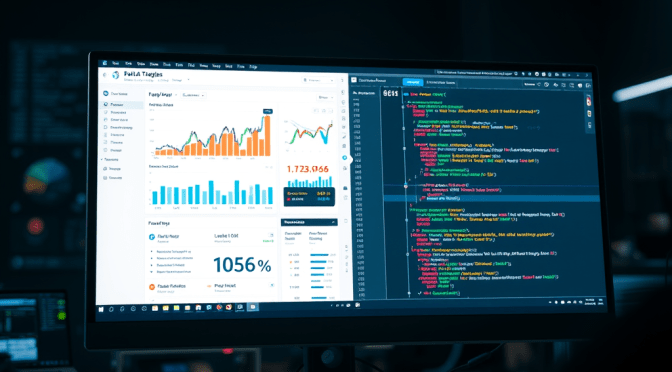
The bot that’s running on the VPS, which is testing my ability to stomach losses, I’ve called FastTrade (now at version 1.3). This is the bare-bones design, and “works” perfectly. I was happy with where I’d got it to but didn’t want to be slowed by years old coding decisions. It’s mad how you can have code that works well, but then when you spend a bit of time actually thinking about it, you come up with another solution. Then you think some more, and change it again.
One example of this was my logging code. In OSCAR (a retired bot) I’d written code for each logging event – this wrote a line to my logging sheet individually as they were called, including an xlUp line (obviously this brings into question how serious I am about efficiency). It did work, though writing to the sheet on each log event is not in line with my quest for speed. So, one goal I had was to store log events to an array and paste the array at market change, where trading isn’t happening so speed is less important. I moved all the logging code to it’s own module, added an array, and put the repeated code in it’s own sub. Each logging event, still having its own sub, added a string element such as “Trading Period Started” and called the sub that added all the other detail at that exact moment. I then refined this further by adding a string argument to the sub for the name of the logging event. My logging code has gone from multiple subs to just 2 – the log-event-with-argument sub, and the log-log-to-log-sheet sub. Splendid.
I’ve been building my new bot from the ground up, including the log stuff. I’m calling this one VOLT (VOLume Trader). I’d tested manually and got to a point where live testing was possible. An important element here – always have a boolean argument that allows trading. Set to false and the entire code can run but the bit that writes the trigger/order is bypassed. Once you’re happy to trade, change it to true. Although this isn’t an emergency stop, it does allow for testing and quick interventions if things aren’t quite right but you want monitoring to continue.
Well I’d tested and tested, debugged and tested, debugged etc. Literally as soon as I went live it failed – subscript out of range. I actually like this fault finding part, it’s solving the puzzle that I enjoy. Fortunately for me it was one puzzle after another. Not checking for previous data entries, so writing the same thing over and over, exceeding the array size. Then not incrementing after adding data, so missing loads of log events. Checking for the wrong cased words (Closing vs CLOSING). The list is long but my time is short (a bit dramatic).
I’ve written this post whilst watching VOLT run through Sunday evening US horse markets on another screen and all is now well. Logging is working, as is market navigation, where I appear to have got rid of the double quick-pick-list refresh that caused no problem but I found mildly irritating.. The trigger code is there but not active yet. Next step is to add some temporary what-if logging, see how it fares. Happy trading, botters.
 TRADER247